
Equipment Protection Guide
SmallHD OLED 16 Cases
SmallHD’s 16-inch OLED production monitor — small enough to travel as a single-monitor case, and an OLED face that should never ride in a bag.
- 16-inch 4K OLED
- 4× 12G-SDI in/out
- 2 dedicated builds
- ATA or Pelican
About this equipment
The SmallHD OLED 16 is a 16-inch 4K OLED production monitor, announced by SmallHD in June 2026: up to 400 nits, 100% DCI-P3, four 12G-SDI connections and an HDMI 2.0 input. It sits between the on-camera monitors and the 22-inch OLED reference panel — a size for the cart, the DIT station and video village.
We build two cases for it. The ATA case stands the monitor upright with the screen face kept clear of the foam and a rear compartment plus two corner compartments for cables and power. The Pelican 1560 build rolls, with a carpeted cutout for the monitor and a pocket above it.
Choose protection by workflow
Occasional moves, vehicle transport: foam inserts and padded protection in a case you own.
Travel and carry-on workflows: compact hard-shell builds sized to airline limits.
Constant shipping: ATA shells, modular replaceable foam, fleet-matched layouts.
Purpose-built around your exact package and workflow.
Start a custom project →Cases built for this equipment
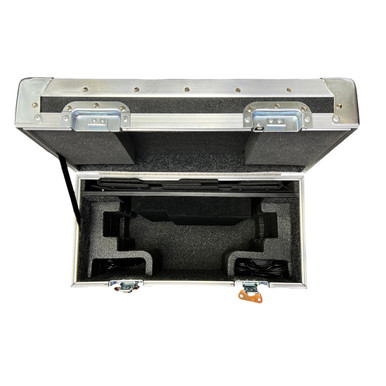
SmallHD OLED 16 Monitor ATA Case
Designed for: SmallHD OLED 16 upright + rear compartment + 2 corner compartments + center space
SmallHD OLED 16 UHD 4K 12G-SDI Monitor Case
Designed for: SmallHD OLED 16 + carpeted cutout + pocket above the monitor
More builds in this family
Transport knowledge
The ATA build carries the OLED 16 upright, the way it lives on a cart, with its cables and power beside it. The Pelican 1560 build rolls on its own wheels and handle — the one to take if the monitor travels without a cart.
An OLED face does not forgive pressure. Whatever case you use, the foam should hold the chassis, not the screen.
Ship in the case, keep desiccant in the case, and let the monitor acclimate before powering up after temperature swings. Insure to replacement value.
Where to buy the equipment
Some links above are affiliate links — Innerspace may earn a commission at no additional cost to you.
Frequently asked questions
The ATA case if the monitor stands on a cart and you want its cables and power in the same case; the Pelican 1560 if it has to roll on its own.
The ATA build has a rear compartment and two corner compartments; the Pelican build has a pocket above the monitor. For a specific kit, request a custom layout.
Made to order, typically 14–21 business days. New layouts are quoted per project.
Related equipment
Accessory cases for the rest of the kit
Your SmallHD OLED 16 case holds the gear. Cables, batteries, filters, tape and tools ride in an ATA accessory case with removable dividers. Three sizes, built to order — pick one, choose colors, add to cart.
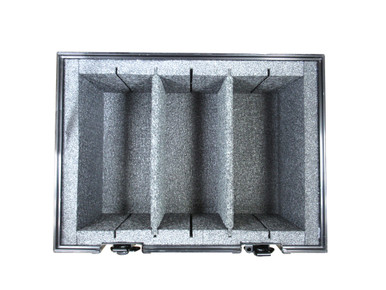 18" · 3 Compartments18.75 × 13.5 × 10 in$499.99
 22" · 6 Compartments22.5 × 13.5 × 10 inPhoto shows the 24" Wide$549.99
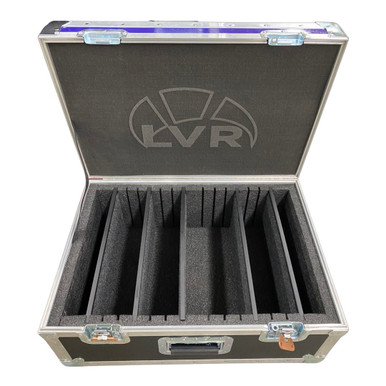 24" Wide · 6 Compartments24.5 × 16.5 × 11 in$599.99
Order one with another case and the accessory case is 10% off.
Multi-unit and matched case sets are what we build best — one engineered layout, every case identical, re-orderable for years.
Start a fleet quote